
Security Camera Installation Workflow: Avoid €20k Fines


Many Irish commercial facilities face costly security gaps from poorly planned camera installations that create compliance risks and operational faults. GDPR violations and inadequate surveillance expose businesses to fines exceeding €20,000, reputational damage, and ongoing security vulnerabilities. This guide provides a detailed, step-by-step workflow designed specifically for facility managers and security decision-makers to execute efficient, compliant installations that protect both your premises and legal standing.
Table of Contents
Key Takeaways
Point | Details |
Structured workflow ensures GDPR compliance | Following proper planning and documentation steps reduces risk of costly regulatory fines. |
IP cameras preferred over analogue | Higher resolution, AI analytics, and PoE cabling deliver superior security and easier scalability. |
Proper planning prevents installation mistakes | Thorough site surveys and risk assessments eliminate blind spots and ensure legal compliance. |
User training ensures long-term effectiveness | Trained staff operate systems correctly and maintain privacy responsibilities post-installation. |
Pre-installation Planning and Site Survey
Before purchasing a single camera or running any cable, you must understand your facility’s unique security needs and legal boundaries. A comprehensive site survey identifies vulnerabilities and informs every subsequent decision in your installation workflow.
Start by conducting a thorough risk assessment to identify high-risk areas and blind spots essential to effective camera placement. Walk every corner of your premises, noting entry points, high-value asset locations, and areas with historical security incidents. Document lighting conditions at different times of day, shadowed zones that might obscure footage, and architectural features that could create surveillance gaps.
Your site survey should capture specific technical details that shape equipment selection and installation planning:
Measure distances from proposed camera locations to recording equipment to calculate cable runs
Identify mounting surfaces and assess structural integrity for camera brackets
Note existing network infrastructure and power outlet locations
Map areas requiring weatherproof or vandal-resistant housings
Document privacy-sensitive zones where cameras must not capture footage
These survey outcomes directly inform whether you need IP cameras with night vision, PTZ capabilities for wide coverage, or specialised equipment for challenging environmental conditions. Proper planning at this stage prevents costly mid-project changes and ensures your CCTV installation processes proceed smoothly from start to finish.
Pro Tip: Create a simple floor plan marking proposed camera positions with their field of view angles. Share this with stakeholders early to identify coverage concerns before equipment purchase.
This foundational work establishes both technical requirements and legal compliance parameters. The CCTV best practice guide emphasises that thorough preparatory planning dramatically reduces installation failures and regulatory violations.
Regulatory Compliance and Data Protection
After mapping your physical security needs, you must navigate Irish data protection law before installing a single camera. GDPR compliance is not optional, and shortcuts here expose your organisation to severe financial and legal consequences.
Irish law mandates that you conduct a Data Protection Impact Assessment before installation to assess privacy risks. This DPIA documents your legitimate interest for surveillance, evaluates necessity and proportionality, and identifies measures to protect individual rights. The assessment must address data retention periods, access controls, and procedures for handling subject access requests.
Your DPIA process should examine specific privacy risks:
Whether camera angles inadvertently capture neighbouring properties or public spaces
How long footage will be retained and the justification for that period
Who has access to recorded footage and under what circumstances
Technical and organisational measures protecting stored video data
Procedures for responding to individuals exercising their GDPR rights
Compliance extends beyond the DPIA. You must install clear, visible signage at all monitored entry points informing people that CCTV surveillance is in operation. These notices should identify the data controller, state the purpose of monitoring, and provide contact details for privacy enquiries. Many facilities also publish detailed privacy notices on their websites explaining their CCTV usage.
“Legal breaches from improper DPIA or camera placement can result in fines exceeding €20,000, plus mandatory remediation costs and potential civil claims from affected individuals.”
Working with professional CCTV installation services experienced in Irish regulations helps navigate these requirements efficiently. Compliance specialists can review your DPIA, validate camera positioning against privacy principles, and ensure signage meets legal standards. The PSA CCTV installation requirements provide additional technical and operational standards that licensed installers must follow.
Maintain comprehensive documentation throughout the compliance process. Your DPIA, privacy notices, staff training records, and access logs demonstrate due diligence if regulatory questions arise later.
Equipment Selection: IP vs Analogue Cameras
With compliance foundations in place, selecting the right camera technology becomes your next critical decision. The choice between IP and analogue systems profoundly impacts your surveillance quality, operational flexibility, and long-term costs.
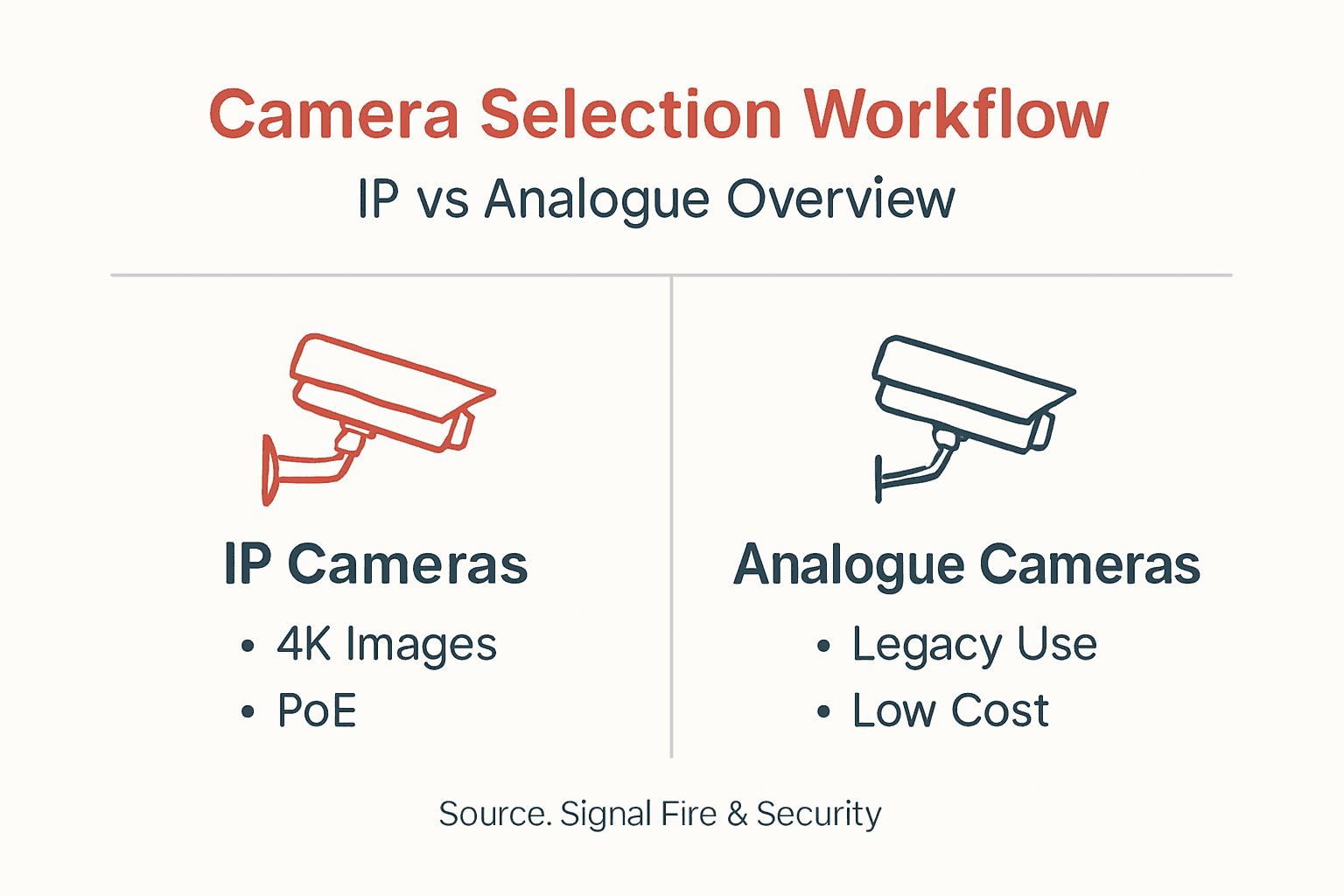
IP cameras dominate modern commercial installations for compelling reasons. These network-based devices deliver 4K resolution that captures fine details like faces and licence plates from significant distances. Advanced models incorporate AI analytics for motion detection, object recognition, and behavioural pattern analysis that transforms passive recording into proactive security intelligence.
Power over Ethernet technology simplifies IP camera installation dramatically. A single Cat6 cable carries both data and power to each camera, eliminating separate electrical runs and reducing installation labour. You can add cameras to your network infrastructure as easily as connecting a computer, supporting seamless system expansion as your facility grows.
Analogue cameras persist in specific scenarios despite their limitations. Legacy systems may justify analogue additions to avoid full infrastructure replacement. Budget constraints sometimes favour analogue’s lower upfront equipment costs, though this ignores IP’s superior long-term value. Some facilities with minimal security needs find analogue’s simplicity adequate for basic perimeter monitoring.
Feature | IP Cameras | Analogue Cameras |
Resolution | Up to 4K and beyond | Typically 720p maximum |
Analytics | AI-powered detection and recognition | Basic motion detection only |
Cabling | Single Cat6 PoE cable | Separate video and power cables |
Scalability | Easy network expansion | Limited by DVR channel capacity |
Remote Access | Native web and mobile viewing | Requires additional hardware |
Cost | Higher upfront, lower total ownership | Lower initial, higher long-term |
For commercial facilities prioritising security effectiveness and operational efficiency, IP systems represent the clear choice. Remote access capabilities let security teams monitor multiple sites from centralised locations. Integration with access control, intrusion detection, and building management systems creates unified security platforms that enhance overall protection.
Pro Tip: Calculate total cost of ownership over five years rather than focusing solely on initial purchase price. IP systems often cost less long-term through reduced maintenance, easier upgrades, and operational efficiencies.
Partnering with trusted security equipment partners ensures you specify cameras matched to your exact surveillance requirements and environmental conditions.
Installation and Cabling Best Practices
Executing the physical installation demands technical precision and adherence to building codes. Proper cabling, mounting, and network configuration determine whether your system delivers reliable surveillance or creates ongoing maintenance headaches.
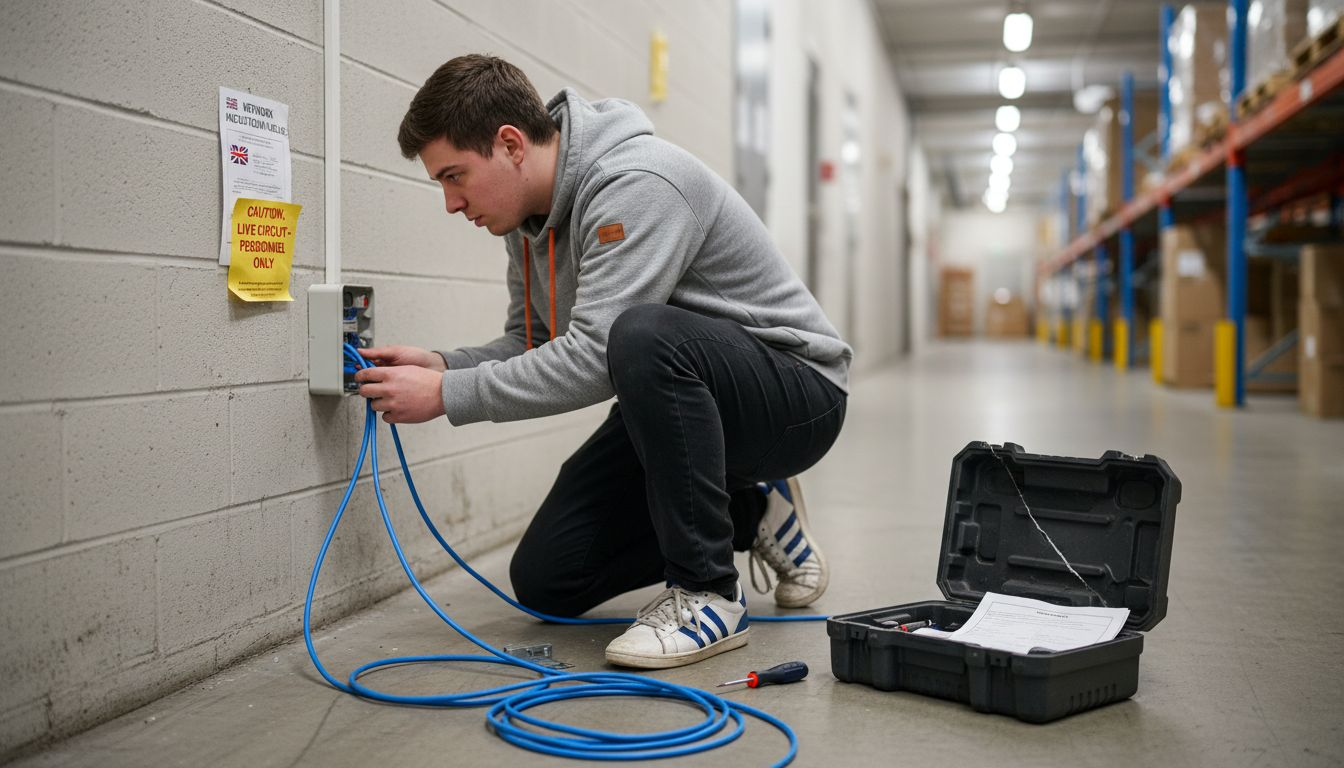
For IP camera installations, use Cat6 or Cat6a cables to support PoE power delivery and high-bandwidth video streaming. These cables handle the data throughput required for 4K resolution and future system upgrades. Route cables through conduits or cable trays following fire safety regulations and building electrical codes. Maintain proper separation from high-voltage power lines to prevent electromagnetic interference.
Camera mounting requires careful attention to viewing angles and environmental factors:
Position cameras at heights that balance wide coverage with facial recognition capability
Angle lenses to avoid direct sunlight, bright lights, and reflective surfaces that cause glare
Install weatherproof housings for outdoor cameras exposed to Irish rain and temperature variations
Secure mounting brackets to structural elements capable of supporting camera weight and wind loads
Verify each camera’s field of view matches your coverage plan before permanent installation
Network infrastructure planning prevents bandwidth bottlenecks that degrade video quality or cause recording gaps. Calculate total bandwidth requirements by multiplying camera count by individual stream bitrates, then add 20% overhead for peak usage. Ensure your network switches support PoE+ standards and have sufficient port capacity. Configure VLANs to segregate surveillance traffic from general business data for security and performance.
Pro Tip: Install one or two spare cable runs to each major camera cluster during initial construction. Future camera additions or replacements become simple plug-and-play tasks rather than disruptive new cable installations.
Follow manufacturer installation guides precisely, particularly for specialised cameras like PTZ models requiring specific mounting orientations. The PSA cabling and mounting standards establish minimum technical requirements that licensed installers must meet. Review professional CCTV installation examples to see quality workmanship standards in practice.
Configuration, Testing, and User Training
With cameras mounted and cables run, systematic configuration and validation ensure your system performs as designed. Rushed commissioning creates hidden problems that surface during critical security incidents.
Begin by configuring each camera with a static IP address following your network addressing scheme. Set recording schedules aligned with your operational hours and security requirements. Many facilities record continuously on high-risk areas while using motion-triggered recording elsewhere to conserve storage. Adjust motion detection sensitivity to minimise false alerts from environmental factors like swaying trees or passing vehicles.
Comprehensive testing validates every system component:
Verify each camera produces clear, focused images during daylight conditions
Test night vision and low-light performance after dark to confirm IR illumination adequacy
Trigger motion detection zones to validate alert generation and recording initiation
Review recorded footage quality at multiple compression settings to balance file size and clarity
Confirm remote access functionality from authorised devices and network locations
Test failover procedures if your system includes backup power or redundant recording
Walk your facility while monitoring live feeds to identify blind spots, coverage gaps, or image quality issues. Adjust camera angles, zoom levels, and focus as needed. This physical verification often reveals problems invisible during initial planning.
User training transforms your technical installation into an effective operational security tool. Conduct hands-on training sessions covering:
Daily system operation including live viewing and playback procedures
Creating and exporting video clips for incident investigation
Responding to motion alerts and system notifications
Basic troubleshooting for common issues like camera offline alerts
Privacy compliance responsibilities including appropriate footage usage and retention
Provide comprehensive documentation including system diagrams, camera location maps, and operational procedures. Staff should understand when to escalate technical issues versus resolve them independently. Regular refresher training maintains competency as personnel change.
Ensure your team grasps their GDPR obligations. Accessing footage without legitimate purpose or sharing recordings inappropriately creates personal liability and organisational risk. Clear policies and ongoing awareness prevent compliance breaches.
For complex installations, consider engaging specialists who provide CCTV system setup and testing services to ensure professional commissioning from the start.
Common Mistakes and Troubleshooting
Even well-planned installations encounter pitfalls that compromise security effectiveness or create compliance risks. Understanding these common errors helps you avoid costly mistakes and maintain continuous operation.
Skipping or rushing the DPIA remains the most dangerous shortcut. Some organisations install cameras first and consider privacy obligations later, exposing themselves to regulatory enforcement. Integrate compliance work early in your project timeline when correcting privacy issues costs less than post-installation remediation.
Poor camera placement degrades surveillance value despite investing in quality equipment:
Mounting cameras too high reduces facial recognition accuracy
Positioning lenses toward windows or bright backgrounds creates unusable backlit footage
Ignoring seasonal sun angle changes that cause glare at certain times of year
Overlooking reflective surfaces that obscure critical viewing areas
Failing to account for vegetation growth that eventually blocks camera views
Insufficient lighting undermines night surveillance in areas lacking adequate illumination. While IR cameras handle complete darkness, mixed lighting conditions with some ambient light often perform worse than pure darkness. Add external lighting or specify cameras with superior low-light sensors for challenging environments.
Network capacity issues surface when multiple high-resolution cameras saturate available bandwidth. Symptoms include choppy video, recording gaps, or complete system unavailability during peak usage. Right-size your network infrastructure during planning rather than discovering inadequacy after installation completion.
Neglecting ongoing maintenance creates gradual system degradation. Cameras accumulate dirt and spider webs that obscure lenses. Firmware updates patch security vulnerabilities and improve functionality. Hard drives eventually fail, corrupting recordings if not replaced proactively. The importance of maintenance in security cannot be overstated for long-term system reliability.
When troubleshooting problems, work systematically from basic to complex potential causes. Verify power delivery and network connectivity before suspecting camera hardware failures. Check recording storage capacity and retention settings if footage appears missing. Review common troubleshooting techniques applicable across surveillance technologies.
Document recurring issues and their resolutions to build institutional knowledge. This documentation proves invaluable when staff turnover occurs or similar problems emerge on different cameras.
Expected Timelines and Outcomes
Realistic timeline expectations help you plan installations around operational constraints and coordinate stakeholder communications. Project duration varies significantly based on facility complexity, system scale, and compliance requirements.
Typical commercial installations span one to three weeks from project kickoff to final handover. Smaller facilities with straightforward layouts and modest camera counts complete faster. Large, multi-building campuses with hundreds of cameras, complex network integration, and extensive compliance documentation require longer timelines.
Project Phase | Duration | Key Activities |
Planning and Compliance | 3-7 days | Risk assessment, site survey, DPIA completion, equipment specification |
Procurement | 5-10 days | Equipment ordering, delivery, pre-configuration preparation |
Installation | 5-15 days | Cabling, mounting, network setup, camera installation |
Configuration and Testing | 2-5 days | System setup, comprehensive testing, issue resolution |
Training and Handover | 1-2 days | User training, documentation delivery, final acceptance |
DPIA and compliance verification occur early in the timeline, ideally during the planning phase before equipment purchase. This sequencing allows privacy requirements to inform camera selection and placement decisions. Addressing compliance proactively costs substantially less than retrofitting installations to meet regulatory standards.
Successful installations deliver measurable security improvements beyond simple camera deployment. You gain visibility into previously unmonitored areas, creating deterrent effects that reduce security incidents. Video evidence supports investigations when incidents occur, improving resolution rates and supporting insurance claims. Integration with other security systems enables coordinated responses to threats.
Liability risk reduction represents another significant outcome. Proper GDPR compliance and privacy controls protect against regulatory enforcement. Clear footage of incidents provides defensible evidence in legal disputes. Documented security measures may reduce insurance premiums.
User training and maintenance contracts extend these benefits long-term. Well-trained staff operate systems effectively, maximising security value from your investment. Regular maintenance through commercial security project timelines prevents gradual degradation and ensures continuous protection.
Why Choose Signal Fire & Security for Your Camera Installation
Navigating the technical complexity and regulatory requirements of commercial CCTV installations demands specialised expertise. Signal Fire & Security brings extensive experience with Irish commercial security requirements, ensuring your project proceeds efficiently from planning through long-term operation.
Our team handles every compliance aspect, including comprehensive Data Protection Impact Assessment support that satisfies GDPR obligations and minimises regulatory risk. We understand Irish privacy law nuances and PSA standards, translating complex regulations into practical implementation.

You gain access to top-tier IP camera technologies from leading manufacturers, professionally installed to deliver optimal performance. Our installers follow best practices for cabling, mounting, and network configuration that ensure reliable operation and easy future expansion. We provide thorough user training and comprehensive documentation so your team operates systems confidently.
Reliable aftercare including maintenance contracts keeps your security infrastructure performing at peak effectiveness year after year. Regular servicing prevents failures, firmware updates maintain security, and responsive support resolves issues quickly when they arise.
Explore our expert CCTV installations, learn about commercial security partnership services, or review our full range of comprehensive security services to protect your facility with professional expertise.
FAQ
How long does a typical commercial security camera installation take?
Most commercial installations require between one and three weeks from initial planning through final handover, depending on facility size and system complexity. Early compliance work and thorough site planning help maintain project schedules and prevent delays.
What are the legal consequences of not completing a DPIA?
Failing to conduct a required DPIA can result in fines exceeding €20,000 under Irish data protection enforcement. Non-compliance also creates exposure to civil claims, mandatory remediation costs, and significant reputational damage that affects customer trust and business relationships.
Why are IP cameras preferred over analogue in commercial settings?
IP cameras deliver substantially higher image resolution including 4K quality that captures critical details for identification and evidence. They provide advanced AI analytics, simplified PoE installation, easy scalability through network infrastructure, and seamless integration with modern security platforms.
How should staff be trained after installation?
Conduct hands-on training sessions covering system operation, footage retrieval, basic troubleshooting, and privacy compliance responsibilities. Provide detailed user manuals and operational procedures for ongoing reference, with refresher training as personnel change or system capabilities expand.
Recommended


Comments